
Case Management From Intake to Findings
Receive complaints through a public hotline portal and move each case through approvals and referrals to the findings report.

Casepoint Investigations
Investigations workflow management, from intake to findings, for inspector general and law enforcement offices. When a mandate changes a deadline, adds an approval, or requires another step, your administrators update the workflow themselves, within minutes and without custom code.

Receive complaints through a public hotline portal and move each case through approvals and referrals to the findings report.

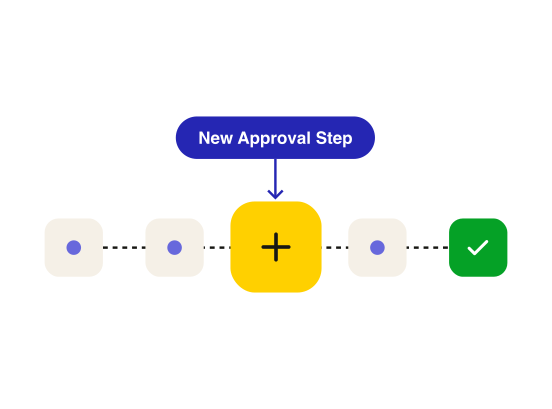
Add a required field, revise an approval step, or update a deadline as new requirements take effect. Apply changes to open cases or only to new ones.

Track people, evidence, tasks, decisions, and referrals in one place. Teams stop pulling information together across systems.

See who took action and when. The audit history builds as work happens, so your team can answer questions about a case without reconstructing it by hand.

Set permissions by organization, module, work type, case, and group so access reflects how your office assigns work. Audit logs capture activity such as edits, uploads, and views, giving your office a history to draw on when a case is reviewed.
A new mandate changes your approval process. Then oversight asks how a case was handled, and the answer is spread across SharePoint, a spreadsheet, and a legacy system. See how Casepoint Investigations helps OIG and law enforcement teams adapt without custom code.


Receive complaints through a public hotline portal and review them in one triage queue.


Track evidence in the case record and use the case’s eDiscovery workspace to process and review digital evidence with chain-of-custody tracking.


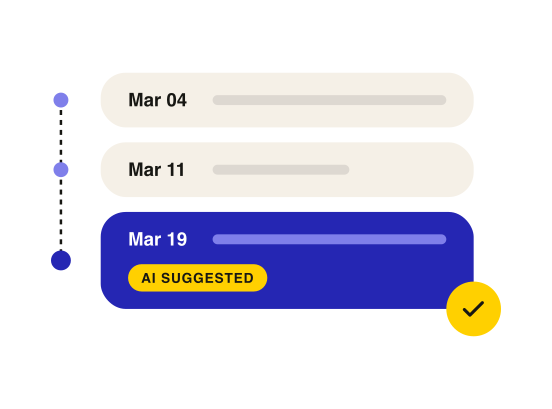
Assign tasks, document investigative steps, and build a chronology as the case develops.


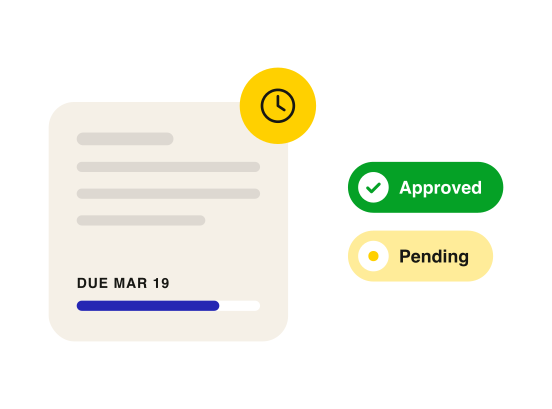
Track deadlines and route cases through required reviews and approvals.


Prepare findings from the case record and track referrals and outcomes alongside the decisions that led to them.
01
If an oversight finding calls for a legal sufficiency review, an authorized administrator can add it as an approval step. Teams can also configure intake forms, make fields required, and set deadlines in business or calendar days.
02
Monitor case deadlines and manage required approvals in the same workflow. Track referrals in the case record alongside the decisions that led to them.
03
AI uses the case record to suggest milestones for the chronology and draft findings reports. Investigators can accept, edit, or dismiss each suggested milestone and revise the draft report before finalizing it.
This form requires JavaScript